AI video for online stores: 7 formats that sell, and how many you need each month
Which video ads work for a store, which first seconds to open them with, and how often to replace them.
 Magnet Minds
4 November 2026
9 min read
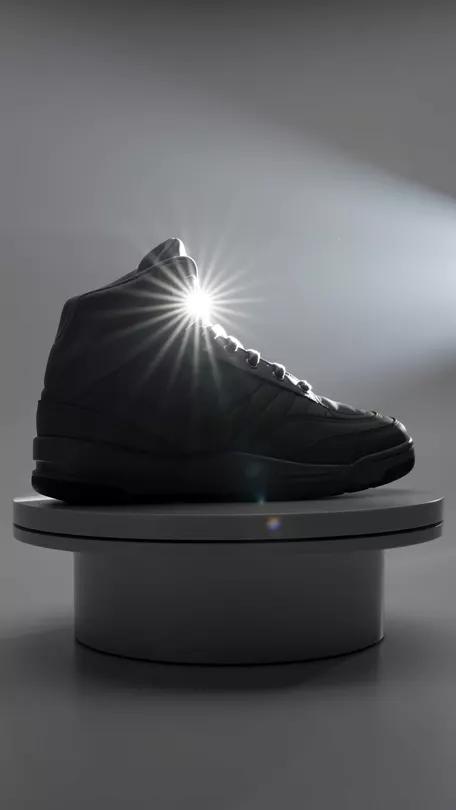
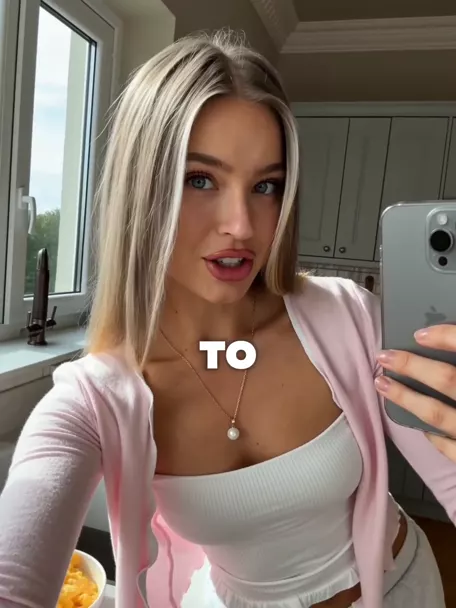
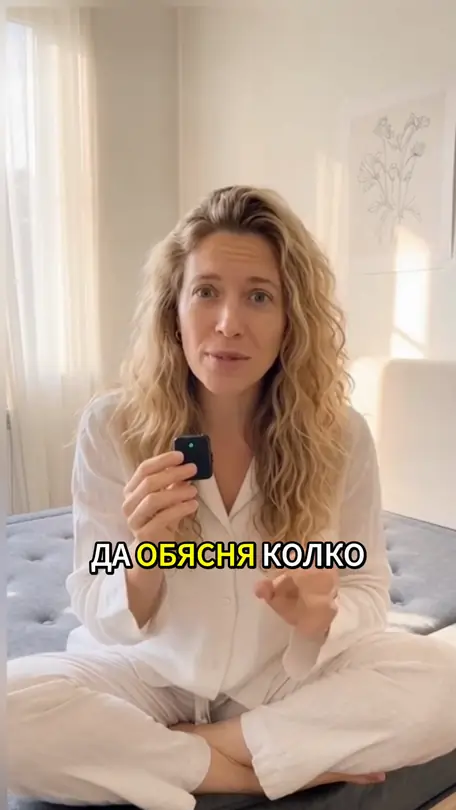
An online store needs seven kinds of video ads: a UGC-style review, product motion (packshot), a demo, problem and solution, unboxing, a comparison, and an offer with a deadline. With AI video you can make them in days, with no shoot. Our working rule is 4 to 20 new videos a month, depending on the catalogue. For a store with 5 to 20 products, that means 8 to 12 videos with 3 openings each.
- Each format has a job: UGC, demos and problem-solution win new people, offers and comparisons close the sale.
- Research by Meta and Nielsen found up to 47% of a video campaign's value comes from the first 3 seconds.
- Test the openings and keep the body: one video, 3 to 5 different first shots.
- TikTok recommends 3 to 5 different creatives per ad group and a refresh once results decline steadily.
- A store with one hero product can manage on 4 to 6 videos a month. A large catalogue needs 15 to 20 or more.
Which 7 video formats sell for an online store?
The seven formats cover the whole buyer path, from someone seeing your store for the first time to someone with a product in the cart. Sort them by the job you give them. Lengths in the table are guidance from our own work.
| Format | Its job | Audience | Length |
|---|---|---|---|
| UGC-style review | A person shows the product the way they would to a friend | New people | 15-30 s |
| Product motion (packshot) | The product in motion, no people | New and warm | 6-15 s |
| Demo | Shows how it works and what it survives | New people | 15-30 s |
| Problem and solution | The pain first, then the product | New people | 15-25 s |
| Unboxing | Exactly what arrives in the box | Warm | 15-30 s |
| Comparison | The product against the old habit | Warm | 10-20 s |
| Offer with a deadline | Price, discount, date | Warm and ready to buy | 6-15 s |
What does each format look like, and how should it open?
For each format: when it works, three openings you can take and rewrite for your product, and what to watch when you make it with AI. Replace the square brackets with your own details.
1. UGC-style review
A person talks into a phone camera the way they would tell a friend. It works because it looks like the content people watch between ads. When the person is AI-generated, they show and explain the product. Do not give them lines like "I've used it for a month": that is a made-up review (see the last section).
- "This is the question we get most about [product]. Here's the answer in 20 seconds."
- "Three things to know before you order [product]."
- "If [problem] happens to you every week, watch to the end."
2. Product motion (packshot)
The product spins, breaks into its ingredients, drops into water, light sweeps across it. No people and no lines, so it works with the sound off and in any market. This is where AI is strongest, because a slow-motion product breakdown takes days on a set. Check every frame against the real product: label, logo, colour and shape must match one to one.
- The product comes apart into its components and snaps back together.
- The camera travels inside the product and out the other side.
- Text on the first frame: "Here's what it's made of."
3. Demo
Proves the product does what you promise: it holds, cleans, fits, cools. Demonstration is the oldest proof in advertising and it still works. AI lets you stage it visually, as long as you only show a property the product really has.
- "We spilled coffee on it on purpose."
- "30 seconds to see how it works."
- "We ran the test every buyer wants to see."
4. Problem and solution
The first seconds show a familiar problem. The product arrives as relief only after that. It suits products that fix one specific annoyance: a stain, a sore back, tangled cables, a burnt dinner.
- "If [problem] happens every morning, this is why."
- "The most expensive mistake people make choosing [category]."
- "Stop [habit]. There's a faster way."
5. Unboxing
The box opens and the viewer sees exactly what they get: the product, the packaging, the extra inside. It removes the "what will actually arrive" worry. Especially strong for gift sets and products above €50.
- "Here's everything in the box for €[price]."
- "Opening the set people gift most."
- "This is what lands on your doorstep within [number] days."
6. Comparison
Your product next to the old habit or the ordinary alternative. Compare things anyone can check: size, time, quantity, price. If you name a competitor, every claim has to be provable.
- "Same price. Here's the difference."
- "Left: what you use now. Right: [product]."
- "One week of [habit] against one week of [product]."
7. Offer with a deadline
Price, discount and date, said in the first 2 seconds. It works on people who already know the store and are waiting for a reason. When you announce a reduction, you also show the prior price. The rule and seasonal ideas for this format are in our guide to AI video for Black Friday and Christmas.
- "Until Sunday, 11:59 pm."
- "[Product] for €[price], down from €[prior price]. Until [date] only."
- "The last [number] units at this price." (only if true)
Why does the opening decide, and how many versions should you make?
Because most people decide whether to keep watching within seconds. In 2016, Meta and Nielsen measured that up to 47% of a Facebook video campaign's value comes from the first 3 seconds, and up to 74% from the first 10. TikTok's own guidance says to introduce what the video is about in the first 3 seconds, shoot vertical 9:16 and add captions, since many people watch with the sound off.
So you test the opening. Make one video body and give it 3 to 5 different first shots. Everything after the third second stays the same. When one version wins, you know why, because the opening is the only difference.
- Call-out: "Got a dog and a light sofa?"
- Result first: the after shot, then how you get there.
- Odd image: the product at the wrong scale or in the wrong place.
- Price or offer: for warm audiences who already know the store.
- A question the viewer can answer: they answer in their head and stay.
What is creative fatigue, and when should you replace a video?
Creative fatigue sets in when the same people see the same ad so often that results drop. Meta flags it right in Ads Manager. "Creative limited" means cost per result is higher than it has been in the past, but less than double. "Creative fatigue" means it is at least twice as high.
TikTok advises refreshing creatives when results decline consistently or when the number of new people you reach each day drops. It gives no fixed timeline, for good reason. Jon Loomer, one of the most cited Meta ads analysts, notes that not every advertiser runs into fatigue and some run the same ads for months. What helps is variety from the start: different ideas, formats and people in the videos.
Meta is heading the same way. In its engineering post on the Andromeda system (December 2024), the company wrote that the number of ad creatives in its systems is expected to grow significantly, and that businesses using Advantage+ creative saw a 22% increase in return on ad spend (Meta's own data). Our conclusion: more distinct videos give the system more to choose from.
Our practical rule: check weekly. If cost per purchase rises more than 30% over 7 days on the same budget, swap the openings first. If that does not help, change the format.
How many videos a month does a store need?
It depends on how many products you advertise and in how many ad groups. TikTok recommends 3 to 5 different creatives per ad group and 3 to 5 ad groups per campaign. That, plus our own work, gives the table below. We count videos with a different body. Openings on the same video come on top.
| Store | New videos a month | How to split them |
|---|---|---|
| One hero product, small budget | 4-6 | 2 formats, 2 to 3 openings each |
| 5 to 20 products, ads running daily | 8-12 | 3 to 4 formats for top products, 3 openings each |
| Large catalogue or 2+ markets | 15-20+ | formats per category, language and seasonal versions |
With fewer videos your ads run on luck, since there is nothing to pick a winner from. With more, the budget spreads across versions that never get enough impressions to judge.
That is why mAInds has a monthly video ads plan for online stores: new videos every month in 9:16, 1:1, 4:5 and 16:9, with several openings to test. You can see finished formats in the portfolio.
How do you test videos without wasting budget?
- One variable at a time. Opening first, then format, then offer. Change three things at once and you will not know which one worked.
- Group the versions. On TikTok, 3 to 5 creatives in an ad group. On Meta, one ad can carry up to 10 videos or images with Flexible format (per Jon Loomer).
- Watch the right numbers. The share of people still watching after the third second (hook rate), how many reach the end, clicks and cost per purchase. Billo names a 30% hook rate as a good target.
- Give it time. Do not decide after one day and a few hundred impressions. Wait for at least a few days of steady delivery.
- Winners get new openings. Losing versions stop. New videos borrow the winners' ideas.
- Log everything. A sheet with format, opening and result. After 2 to 3 months you will see which formats work for your store.
What does AI do well in e-commerce video, and where should you be careful?
AI video is strongest where a shoot is slow or expensive: many versions of one video, seasonal cuts with no new production, shots no camera can capture, and versions in other languages. For quality that does not give AI away, see our separate guide.
- The product is sacred. Label, logo, colour and proportions must match the real thing. If the lettering warps, regenerate the shot with real packaging photos as reference.
- Real properties only. A demo can dramatise, but it shows something the product actually does.
- An "AI" label. Realistic generated people get disclosed. The rules from August 2026 are in our article on AI ads and the law.
- Category claims. Food and cosmetics have their own rules on claims. They apply to AI video too.
An AI character saying "I bought it and have used it for a month" is a fake consumer review. Since the 2019 amendments, the EU Unfair Commercial Practices Directive bans submitting false consumer reviews or endorsements. Let the character show and explain. Take customer words from real reviews and quote them as reviews.
Questions
Start with product motion and a demo for your best-selling product. Both are quick to make, work with the sound off and show the product clearly. Once you see which opening wins, add a UGC-style review and a problem-solution video for new audiences, and keep the deadline offer for your promotions.
For TikTok, Reels and Stories, 6 to 30 seconds works. Packshots and offers can run 6 to 15 seconds, reviews and demos 15 to 30. What happens in the first 3 seconds matters more than length: Meta and Nielsen found up to 47% of a video campaign's value sits there.
There is no universal timeline. Check cost per purchase and frequency every week. Meta flags fatigue once cost per result is at least twice as high as it has been in the past. Our rule is to swap openings if cost per purchase rises more than 30% over 7 days, and to change the format if new openings do not help.
It can show and explain the product, but it should not pose as a real customer with invented experience. Fake consumer reviews are banned in the EU. If you want a review, take the words from genuine reviews and show them as a quote. A realistic AI character is also labelled as AI.
The main one is vertical 9:16 for Reels, Stories and TikTok. Add 4:5 and 1:1 for feeds and 16:9 for YouTube and your website. TikTok recommends at least 720p resolution and captions on the video. The easiest setup is getting every video delivered in all four formats at once.
New videos for your store every month
Send your products and offer. Scripts and key frames reach you within 3 working days. If you do not approve them after 2 revision rounds, we refund the advance. The first videos are ready within 7 working days of approval, and any we deliver late through our fault are free.
See the store plan- Meta Newsroom: Capture attention with updated features for video ads (2016, with Nielsen)
- TikTok Ads Help: Creative best practices for performance ads
- Jon Loomer: Creative Fatigue: What It Is and How to Prevent It (2025)
- Jon Loomer: Meta Andromeda and Creative Diversification (2025)
- Meta Engineering: Meta Andromeda (2 December 2024)
- Billo: Black Friday marketing playbook, 2025 edition
- Directive (EU) 2019/2161, Art. 3: point 23c of Annex I to Directive 2005/29/EC